An Opal alternative that's free, and on Android too
Updated:
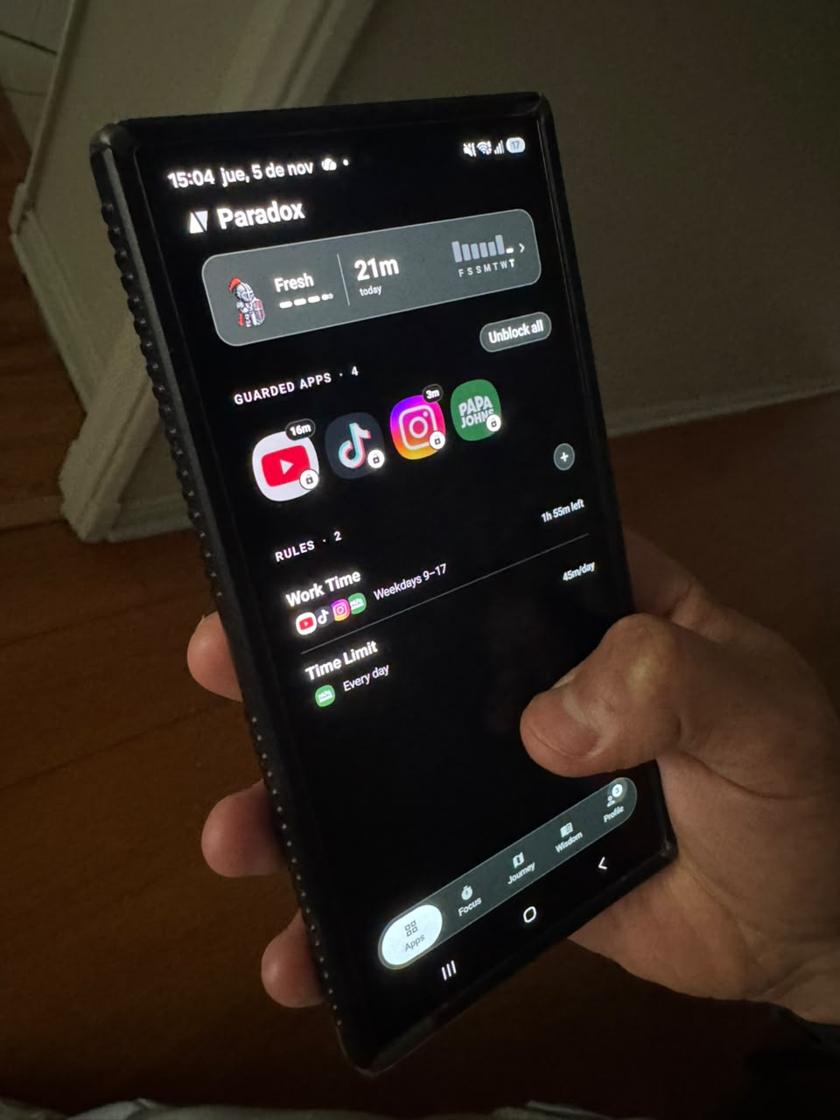
If you want an alternative to Opal, Paradox is a free app blocker for iPhone and Android with no ads. Blocking apps and websites, schedules and daily limits are all free, and instead of a plain block screen you meet a guardian character who rewards the days you hold back.
What Opal does well
Opal is one of the best known screen time apps, and for good reason. It's polished, it has a focus score and detailed reports, and as of November 2026 its site lists apps for iPhone, Android and Mac. If you work across a phone and a Mac, that matters.
Opal has a free plan. As of November 2026, its pricing page describes it as one rule with basic app blocking, and says the free tier on Android shows ads, which Opal Pro removes. More rules, deeper blocking and its stricter modes are part of the paid plans.
Why people look for an Opal alternative
- They want more than one blocking rule without paying for a subscription.
- They don't want ads inside an app that's meant to protect their attention.
- They want something that makes them want to stay off their phone, not only something that stops them.
How Paradox is different
Paradox is a free app blocker on the App Store (iOS 16 or later) and Google Play (Android 8.0 or later). Blocking is free forever and there are no ads, on either phone. You don't need an account.
You pick the apps and websites to block and give each rule its hours, like 9 to 5, or a daily allowance, like 45 minutes. Two rules come ready on install, and you can add your own.
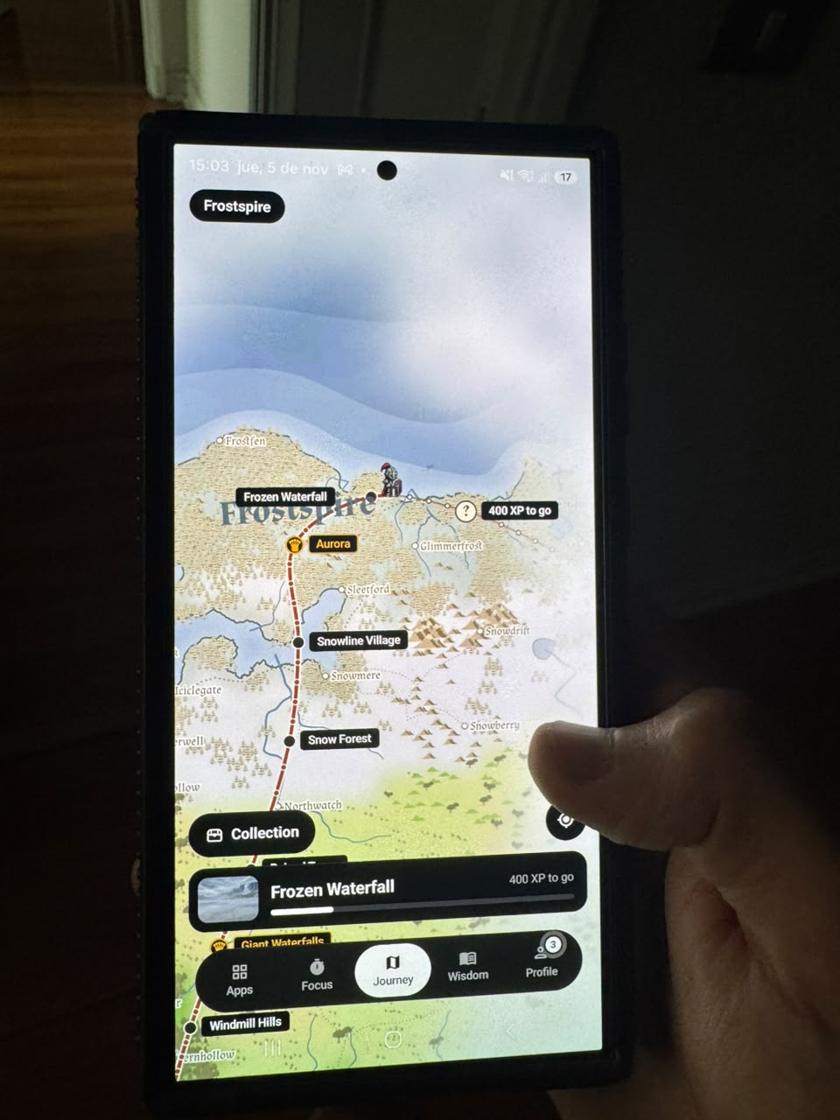
The big difference is what happens at the wall. When you open a blocked app, a pixel-art guardian stands in front of it. You can wait, win a short pause, or tap "Read something instead" for a two-minute read. The less you use your blocked apps, the more XP you earn: your guardian travels a map, you level up and collect new guardians. It's closer to a small game than a lock.
Switching from Opal to Paradox
You can keep Opal installed while you try Paradox, but two blockers on the same apps get confusing fast. Pause one while you test the other.
- Install Paradox from Google Play or the App Store. No account needed.
- Allow the permissions it asks for: Screen Time on iPhone, or Accessibility and Usage access on Android.
- Pick the apps you blocked in Opal, and add their websites so the scroll doesn't move to the browser.
- Set your hours or a daily allowance. The two ready-made rules (9 to 5 and 45 minutes a day) are a quick start.
- Pick your first guardian and open a blocked app once, so you see what happens at the wall.
What a guardian changes
Most blockers show a screen that says no. Paradox shows a character who is on your side. It sounds small, but it changes how the moment feels: you're not fighting a rule, you're protecting someone.
Each day you stay under your limits earns XP. Your guardian moves forward on the Journey map, you level up, and you collect new guardians over time. People who like games often find this is what keeps them going after the first week, when most blockers get deleted.
What Paradox doesn't do (yet)
To be fair, Opal does things Paradox doesn't. Paradox has no Mac or desktop app and no browser extension. It has no strict mode that survives uninstalling, and you can always switch a block off on purpose. If you need a block you truly can't undo, a paid strict mode is the better fit.
Which one should you pick?
Choose Opal if you want detailed reports, a Mac app and strict modes, and you're happy to pay for them. Choose Paradox if you want to block as many apps and websites as you like for free, with no ads, on iPhone or Android, and you like the idea of a guardian who gets stronger when you scroll less.
You can also compare more options in our app blockers compared guide.
Common questions
Is there a free alternative to Opal?
Yes. Paradox is free to block apps and websites on iPhone and Android, with schedules and daily limits and no ads. Its optional Premium only adds extra guardians, attacks and backgrounds.
Is Opal available on Android?
As of November 2026, Opal's website lists an Android app alongside iPhone and Mac. Its pricing page says the free tier on Android is ad-supported.
Does Paradox have ads?
No. Paradox has no ads on iPhone or Android, and blocking is free forever.
Can Paradox block websites like Opal?
Yes. Paradox blocks the websites you choose in every browser on the phone. On iPhone a blocked site shows Apple's own block screen; on Android Paradox reads the browser's address bar.