App blockers compared (2026)
Updated:
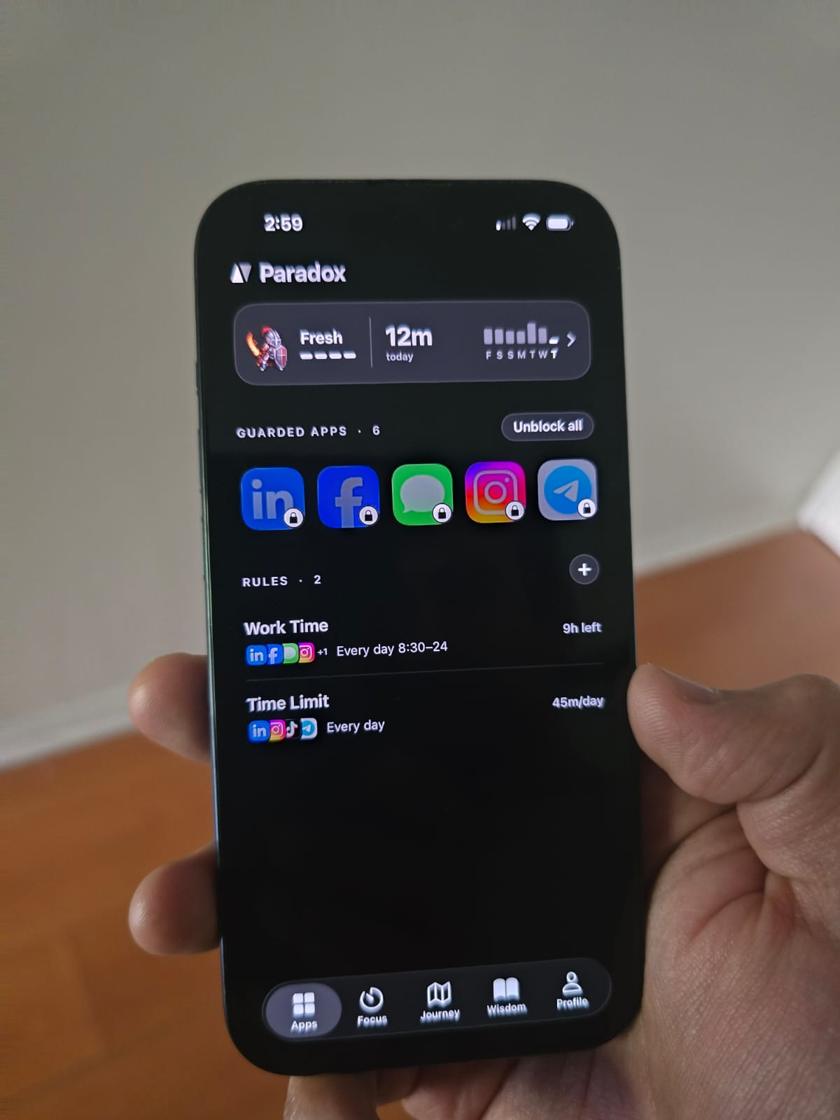
The best app blocker depends on what you need. Screen Time and Digital Wellbeing are free and built in; ScreenZen is free and donation-supported; one sec adds a pause before an app opens; Opal and AppBlock have free tiers with more in paid plans; and Paradox is a free app blocker for iPhone and Android, with no ads, built around a guardian character.
How we compared them
We looked at the things people ask about most: which phones each app runs on, what you get for free, whether there are ads, whether it blocks websites, and what it's best at. Every fact about another app comes from that app's own website or store page, checked in November 2026. Prices and plans change, so check before you buy.
Yes, Paradox is our app. We've tried to be fair, including where other apps are better.
What matters most in an app blocker
Three things decide whether a blocker still runs after a month. Does it cover the way you actually lose time, apps and websites, at the hours that hurt? Is the free part enough to use, or a teaser? And what happens at the moment you open a blocked app, because that second is the whole game.
A blocker that's too easy to dismiss gets ignored. One that's impossible to undo gets uninstalled. The ones people keep sit in between.
The built-in tools: Screen Time and Digital Wellbeing
Start here. iPhone's Screen Time and Android's Digital Wellbeing are free, already on your phone, and good at telling you where your time goes. Both let you set a daily limit on an app.
Their weak spot is the moment you hit the limit. On iPhone you get a screen with an Ignore Limit button that most people learn to tap without reading. On Android the app icon goes grey until midnight, and one trip to Settings undoes it.
ScreenZen alternative: what to know
ScreenZen is a strong free option. As of November 2026, its site says it's completely free, with an optional donation that unlocks extras, and it's on iPhone and Android. It's built around pauses and limits you set per app.
If you're looking for a ScreenZen alternative, the question is what you want at the wall. ScreenZen makes you wait. Paradox puts a guardian there, and rewards you with XP, levels and a journey when you hold back. Both are free to block.
one sec vs Opal
They solve different problems. one sec puts a short breathing exercise in front of an app so the impulse fades. As of November 2026, its free version covers one app, and one sec pro unlocks unlimited apps. Opal is a full blocker with schedules, a focus score and reports, on iPhone, Android and Mac; its free plan has one rule and its paid plans add more.
Where Paradox fits
Paradox is a free app blocker for iPhone (iOS 16 or later) and Android (8.0 or later). You can block as many apps and websites as you like, with hours or a daily allowance, for free and with no ads. When you open a blocked app, a pixel-art guardian stands in front of it, and the less you scroll, the further your guardian travels and the more you level up.
What it doesn't have: a desktop app, a browser extension, or a strict mode you can't undo. If you need those, AppBlock or Opal's paid plans are the better fit.
How to choose
- You only want to know where your time goes: start with Screen Time or Digital Wellbeing.
- You want a short pause before one app: one sec's free version.
- You want a free blocker with no ads on iPhone and Android: ScreenZen or Paradox.
- You want reports, a Mac app and strict modes, and you'll pay: Opal.
- You want strict mode and a browser extension: AppBlock.
- You want blocking to feel like a game you don't want to lose: Paradox.
Free vs paid: what to watch for
"Free" means different things. Some apps are free for one app or one rule, then ask for a subscription. Some show ads on the free tier. Some start a trial that turns into a paid plan unless you cancel. None of that is wrong, but it's worth knowing before you set up your rules.
Read the store page's in-app purchases list and the app's pricing page. If an app blocks you from your own rules until you pay, you'll find out on day three, which is the worst day to find out.
| App | Phones | Free to use | Ads | Blocks websites | Best at |
|---|---|---|---|---|---|
| Paradox | iPhone, Android | Yes: blocking, schedules and limits are free forever | No | Yes | Turning screen time into a game with a guardian |
| Opal | iPhone, Android, Mac | Free plan with one rule | On Android's free tier | Yes | Reports, focus score and strict modes (paid) |
| one sec | iPhone, Android | Free for one app | No | Yes, with its browser extensions | A breathing pause before an app opens |
| ScreenZen | iPhone, Android | Yes, optional donation | No | Not stated | Pauses and limits, free |
| AppBlock | iPhone, Android, browsers | Free with caps (3 apps and 3 sites in Quick Block) | Not stated | Yes | Strict mode and many blocking options (paid) |
| Screen Time / Digital Wellbeing | Built into iPhone / Android | Yes | No | Screen Time: yes. Digital Wellbeing: no | Seeing where your time goes |
Common questions
What is the best free app blocker in 2026?
If you only need a daily limit, the built-in Screen Time or Digital Wellbeing may be enough. For more, ScreenZen and Paradox are both free to block on iPhone and Android with no ads. Paradox adds schedules, website blocking and a guardian that rewards you for scrolling less.
What's a good ScreenZen alternative?
Paradox is free on iPhone and Android, blocks apps and websites, and puts a guardian character at the wall instead of a timer. one sec is another option if you only want a pause before one app.
Which app blocker works on both iPhone and Android?
Paradox, Opal, one sec, ScreenZen and AppBlock all have iPhone and Android apps, as of November 2026.
Do app blockers really work?
They help most when they add a pause at the moment of impulse and when you choose the rules yourself. None of them can stop you if you really want in, and they're not meant to.